For Developers · Monetization Ads Provider
Ad-Maven
Ad-Maven is a globally available provider with strong fill rates in regions where other networks underperform. Setup takes one credential — your API Key from the Account Settings page.
Shared steps with Secured Ad-Maven
Ad-Maven and Secured Ad-Maven use the same dashboard and the same API Key. The only difference is the Revenue Mode you select in Panda Auth. If you came here looking for the Secured variant, the steps below apply — just choose Secured Ad-Maven in the dropdown at the end.
Before you start
Log in or sign up at publishers.ad-maven.com before continuing.
Step 1 — Open the Ad-Maven publisher dashboard
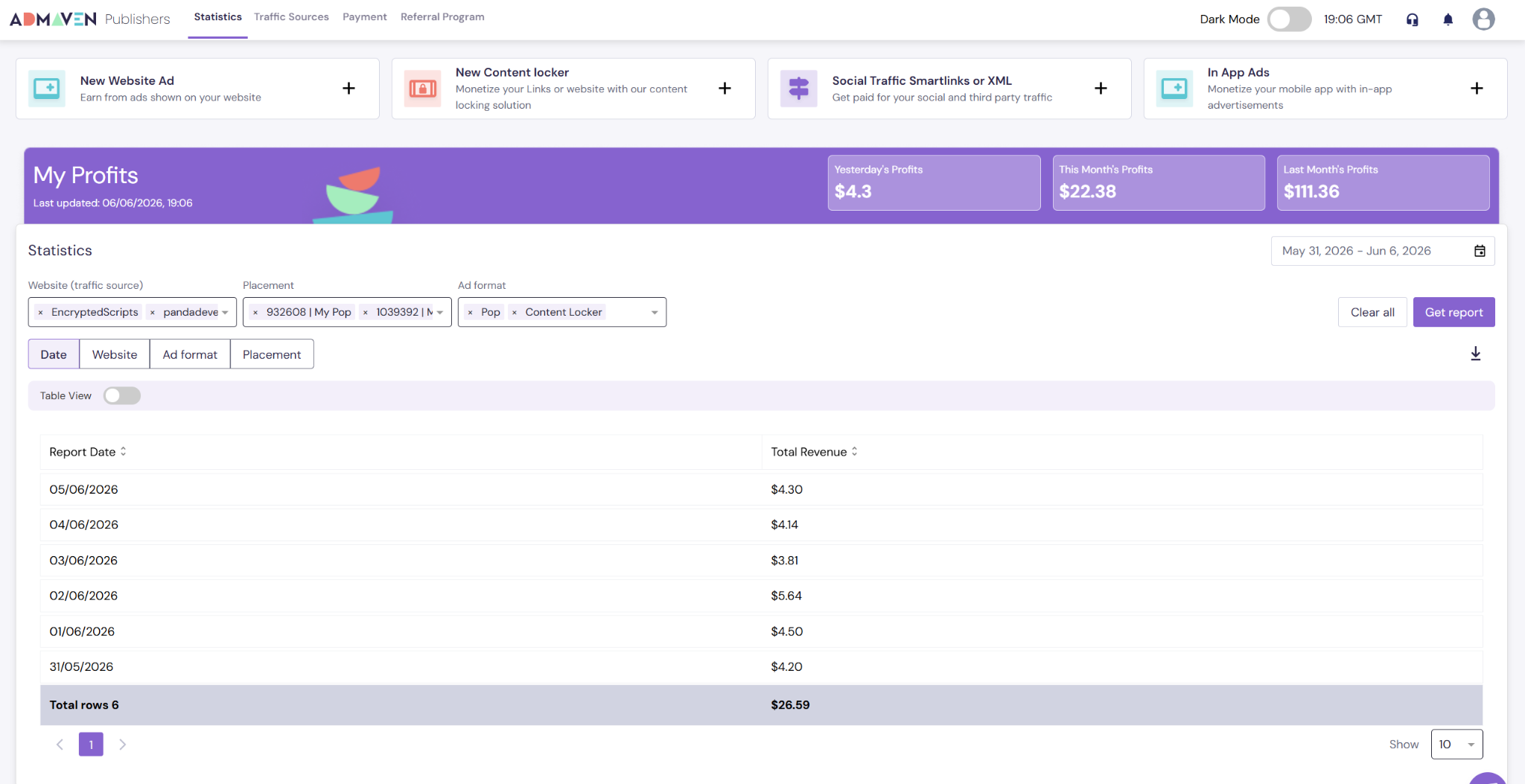
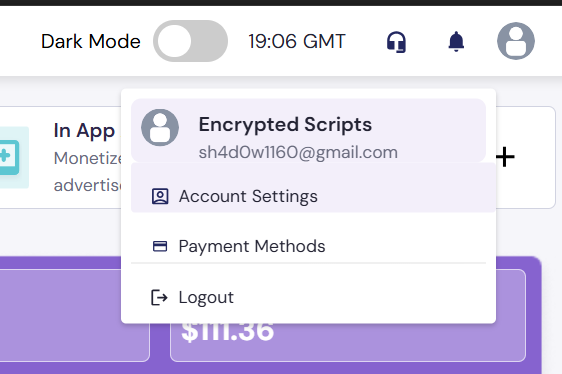
Step 2 — Open Account Settings
Click your profile icon in the top right and select Account Settings.
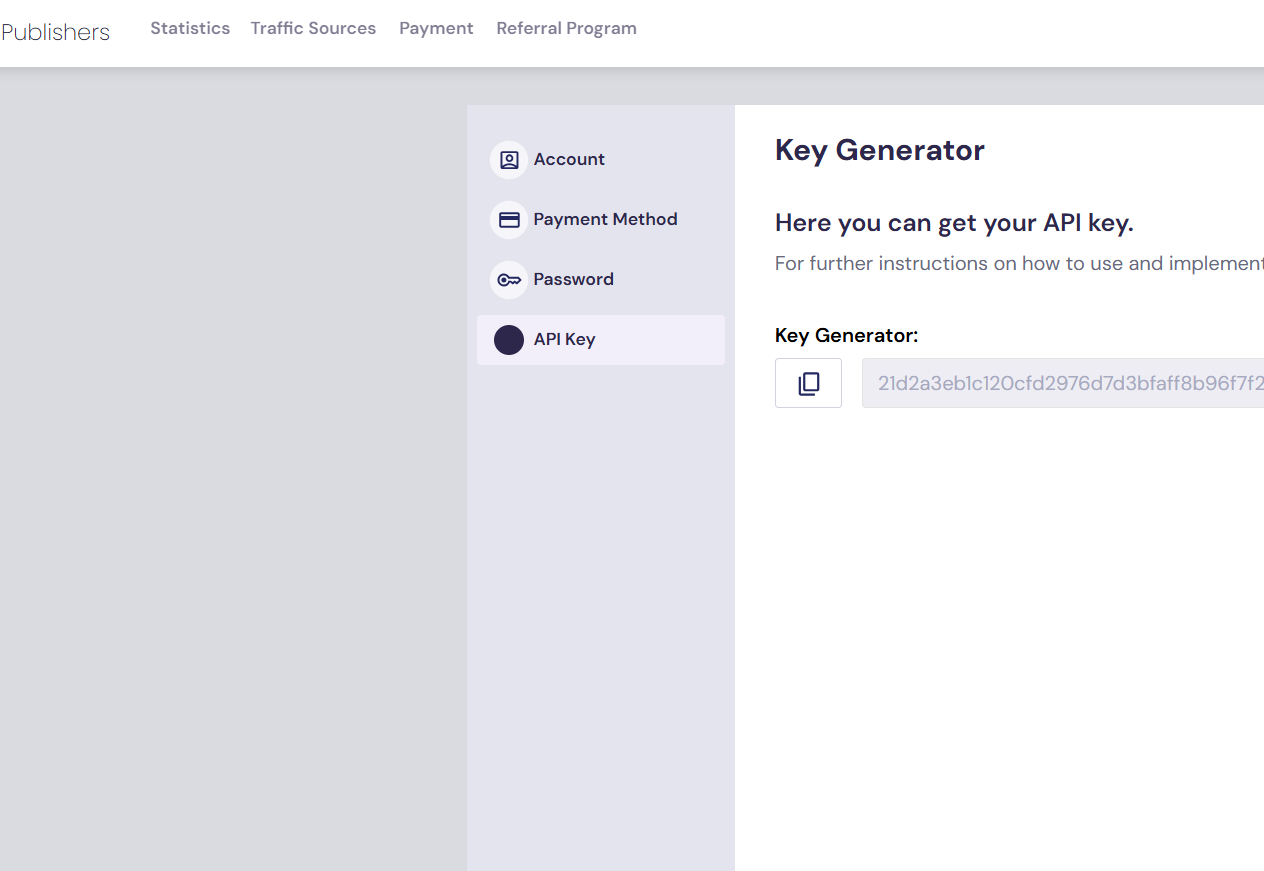
Step 3 — Navigate to API Key and copy
In Account Settings, go to API Key and copy your API key.
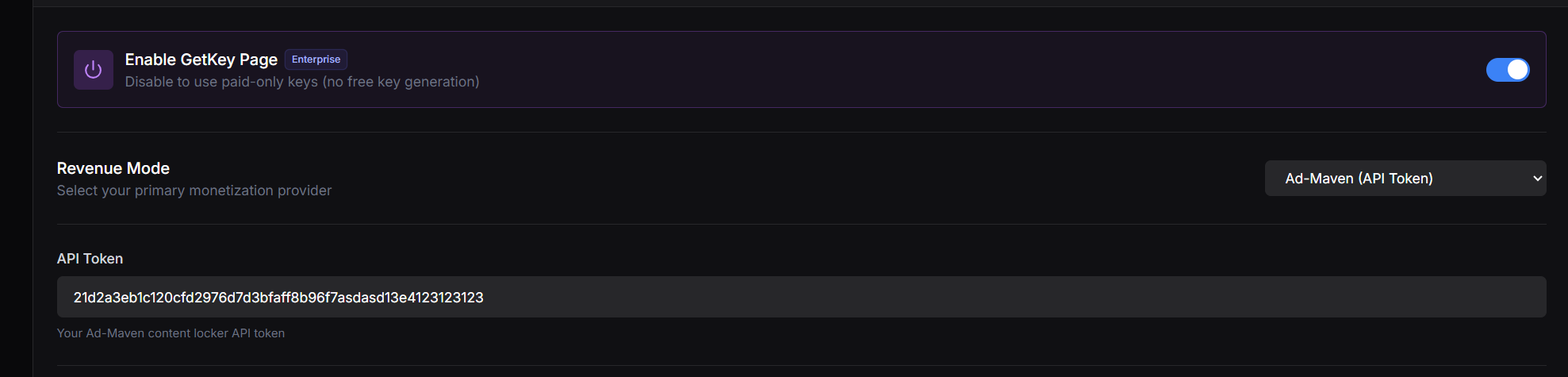
Step 4 — Paste into Panda Auth and save
Back in Panda Auth, go to Monetization Settings → Revenue Settings, pick Ad-Maven (or Secured Ad-Maven if you want the anti-bypass version) from the Revenue Mode dropdown, paste your API Key, and click Save Changes.
Done
Ad-Maven is now your active provider.