For Developers · Monetization Ads Provider
Universal Link
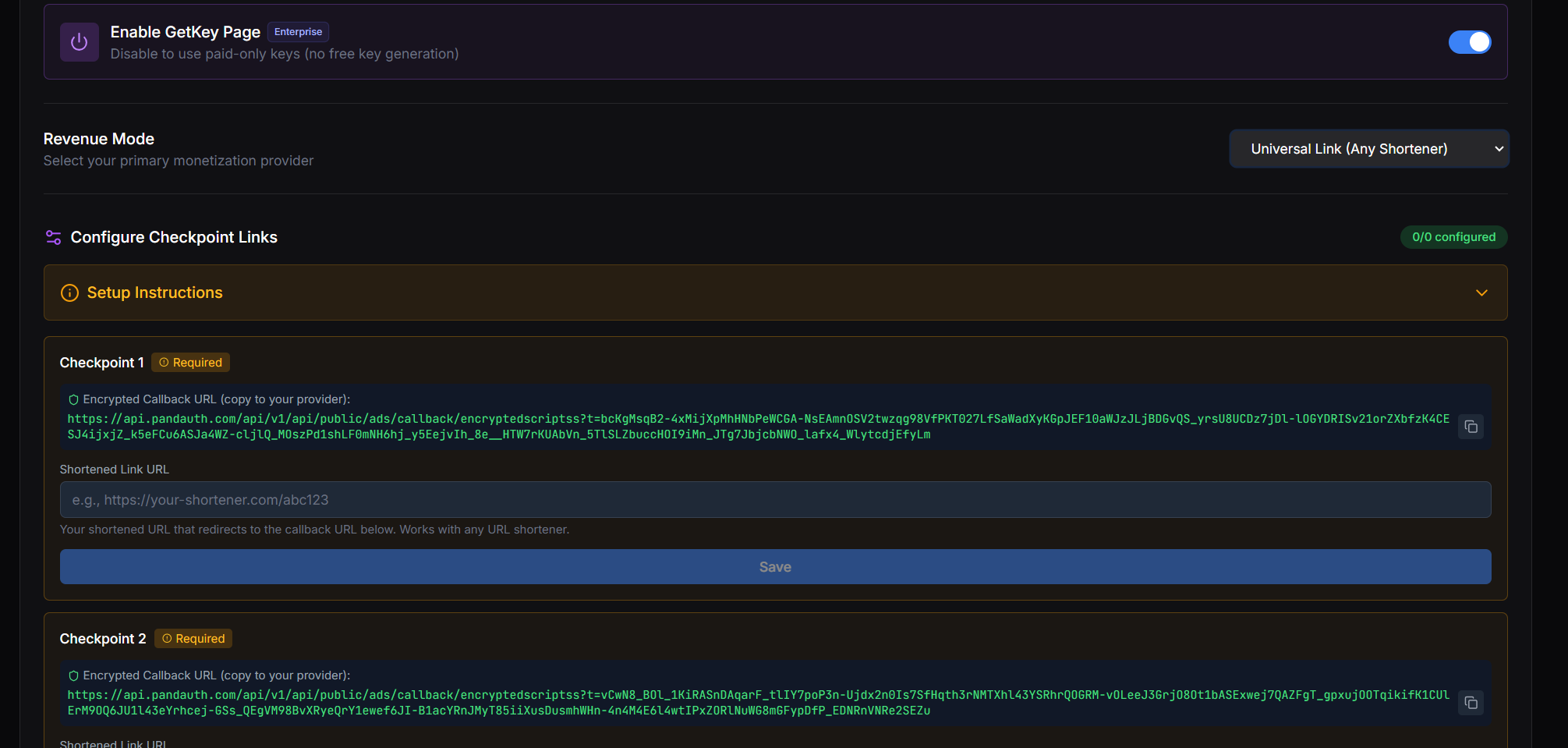
Universal Link lets you plug in any URL shortener as a checkpoint provider, not just the ones we have built-in support for. The setup is similar to Secured Linkvertise — one link per checkpoint, with the destination being whatever Panda Auth generates for that checkpoint.
What is Universal Link for?
How it works
Universal Link works just like the per-checkpoint flow used by Secured Linkvertise. For each checkpoint in your service:
1. Panda Auth generates a destination URL for that checkpoint.
2. You create a link on your shortener of choice (any service — even ones outside our supported list) with that destination URL as the target.
3. You paste the resulting shortener URL back into Panda Auth as the Universal Link for that checkpoint.
4. Repeat for every checkpoint your service has.
When to use it
Pick a built-in provider (Linkvertise, Lootlabs, Work.ink, etc.) if one supports your shortener — the integration is simpler and completion verification is more reliable. Reach for Universal Link when you specifically need a provider we have not added native support for.
Per-checkpoint setup required
Done