For Developers · Monetization & Growth
Webhooks & Analytics
Two integrations live on this page: Discord webhooks for piping key events into your community server, and Google Analytics for tracking your get-key page's traffic. Both are optional but worth setting up — webhooks give you real-time visibility into key activity, and Analytics shows you where your traffic comes from and how it converts.
Discord webhooks
Pipe key events into a Discord channel using a webhook URL. When one of the events below fires, Panda Auth sends a message to your webhook with a customizable template.
Events
- Key Validated — a successful validation. Payload includes masked key, HWID, expiration.
- Key Generated — a new key created. Payload includes key value, HWID (if any), expiration.
- Blacklist Added — an HWID added to your Vanguard blacklist.
- Blacklist Removed — an HWID removed from the blacklist.
- HWID Reset — a key's HWID binding reset.
Template variables
Build a custom message format with these placeholders. Panda Auth substitutes them when sending each event.
{{key}}          Full key value (e.g. PANDA-ABCD-EF12-3456)
{{key_masked}}   Partially hidden (e.g. PANDA-****-****-3456)
{{hwid}}         User's Hardware ID
{{expires}}      Key expiration date/time
{{timestamp}}    When the event occurred
{{event_icon}}   Emoji for the event type
{{event_title}}  Human-readable event name
{{type_emoji}}   Key type (normal vs premium)
{{separator}}    Visual divider line
{{service_name}} Your service's display name
Example template:
{{event_icon}} {{event_title}} | Key: {{key_masked}} | HWID: {{hwid}} | Expires: {{expires}}Use masked keys in public channels
{{key_masked}} instead of {{key}}. The masked variant hides most of the key string, so a user reading the channel cannot copy someone else's freshly-generated key from your support log.Google Analytics integration
If you already use Google Analytics, Panda Auth integrates with it in one click. Paste your Google Analytics URL and Measurement ID from your GA account into the analytics fields, save, and Panda Auth instantly injects the GA4 tracking script into your get-key page.
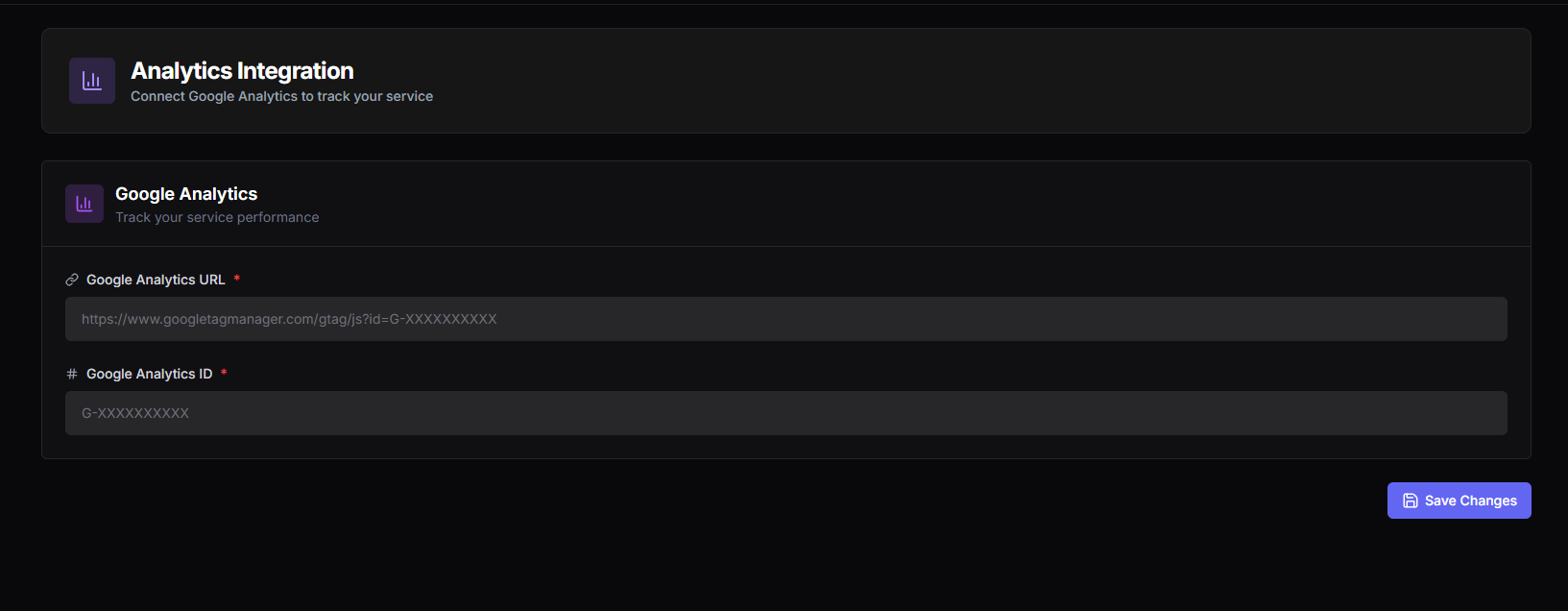
Two fields:
- Google Analytics URL — the URL of your GA property from your Google Analytics account.
- Google Analytics ID — your GA4 Measurement ID in the
G-xxxxformat. Find it under Admin → Data Streams in your GA account.
Once both fields are saved, you can track your get-key page's performance live in Google Analytics — visits, geos, traffic sources, time on page, the standard GA metric set. This is much richer than the built-in analytics dashboard and works well as a complement.
Two integrations, one page — pick what matters to you