For Developers · Monetization Ads Provider
Secured Ad-Maven
Secured Ad-Maven is the anti-bypass variant of Ad-Maven. The setup is identical to the normal Ad-Maven flow — same dashboard, same API key — with the difference being the Revenue Mode you pick in Panda Auth. Secured validates completions on the backend, making bypass tools much harder to use.
Same steps, different mode
Ad-Maven and Secured Ad-Maven share the same dashboard and API key. The only difference is the dropdown selection in Panda Auth — pick Secured Ad-Maven instead of Ad-Maven. Steps are otherwise identical.
Before you start
Log in or sign up at publishers.ad-maven.com before continuing.
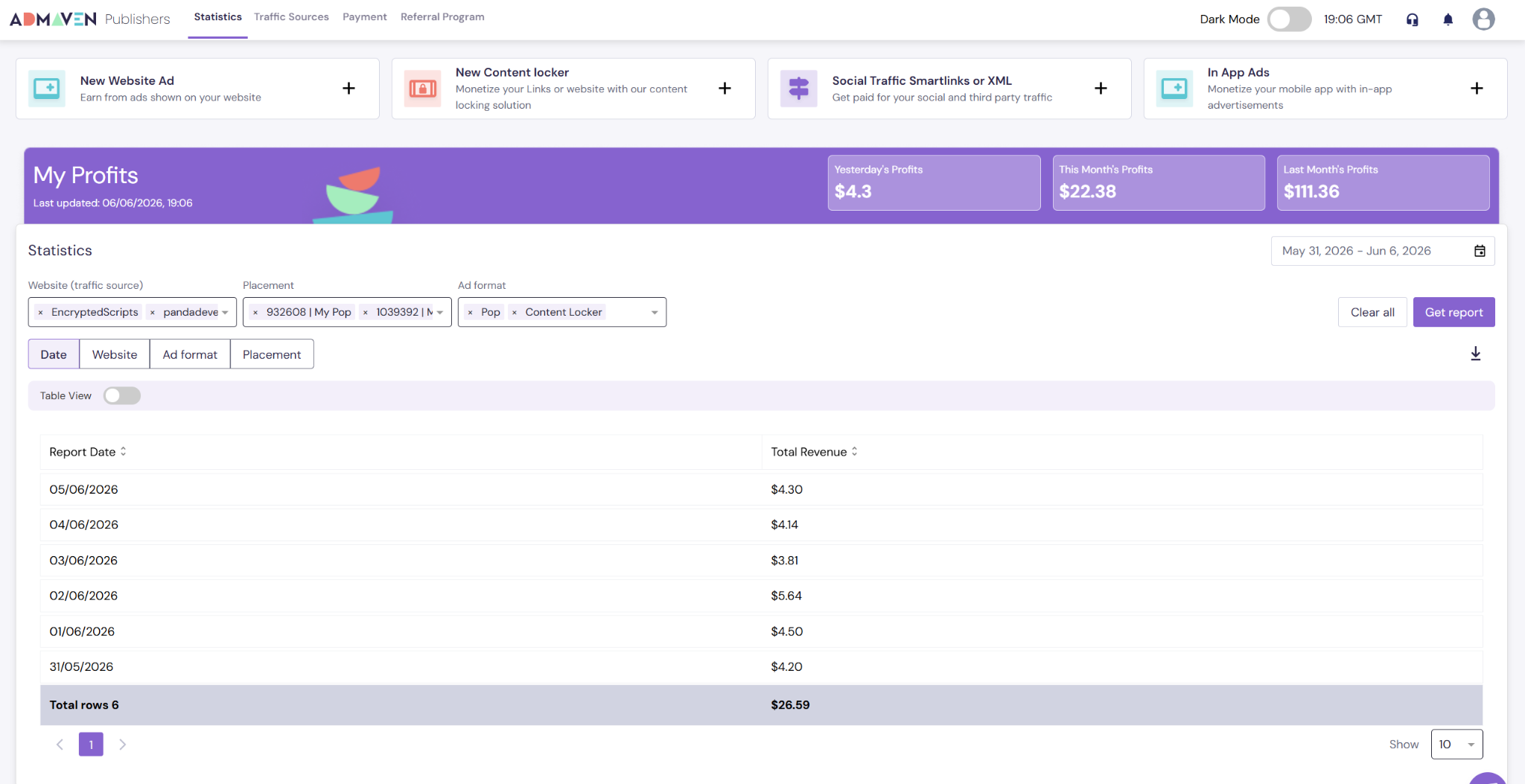
Step 1 — Open the Ad-Maven publisher dashboard
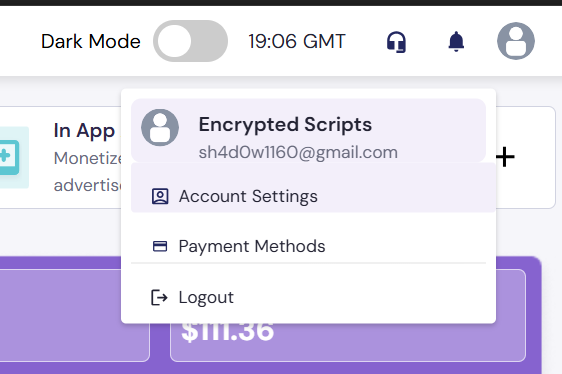
Step 2 — Open Account Settings
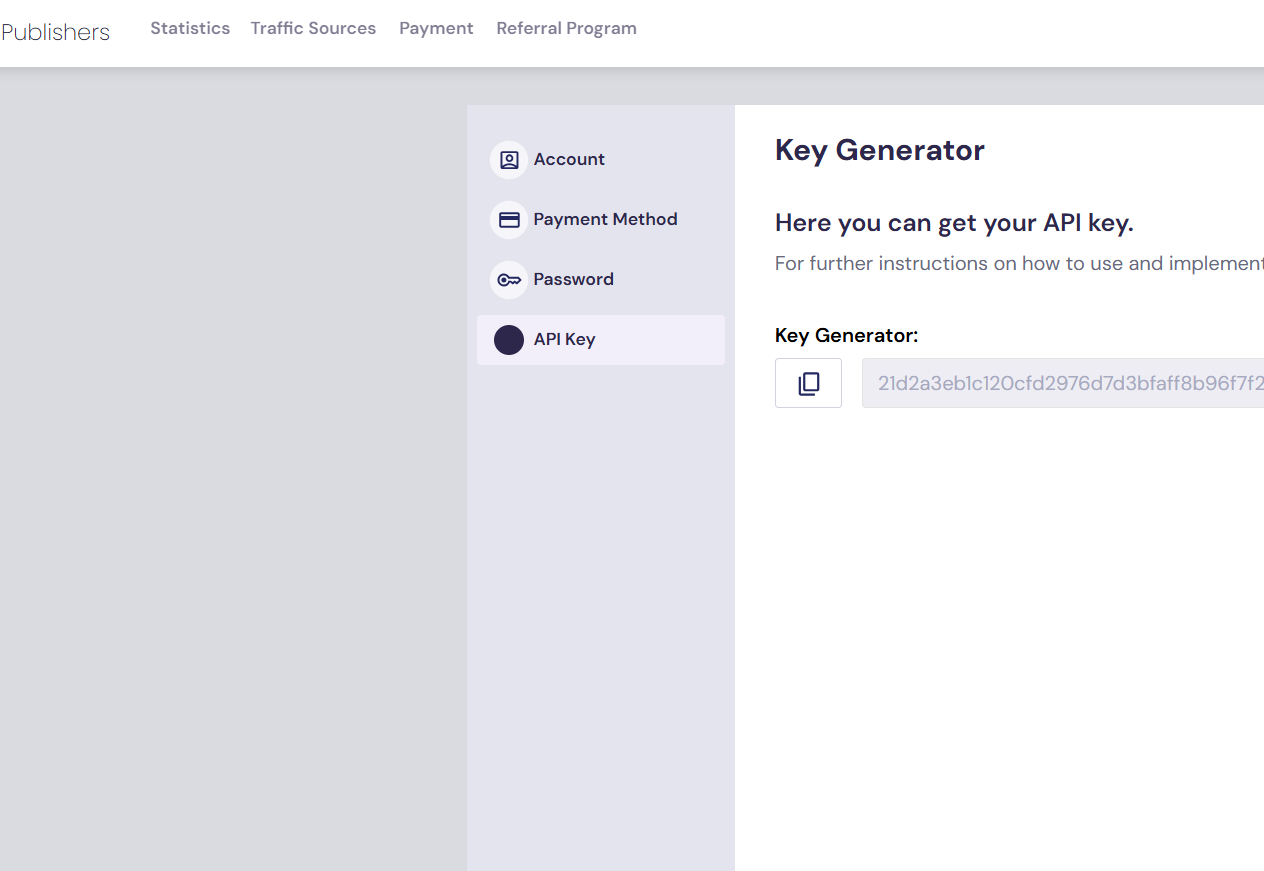
Step 3 — Copy the API Key
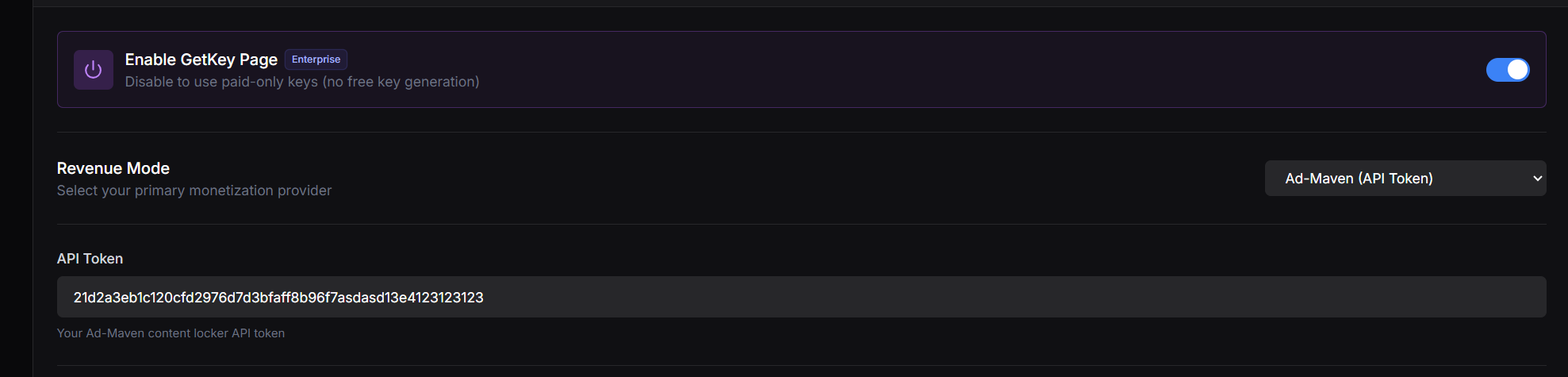
Step 4 — Paste into Panda Auth and save (pick Secured Ad-Maven)
In Panda Auth, go to Monetization Settings → Revenue Settings, select Secured Ad-Maven from the Revenue Mode dropdown, paste your API Key, and click Save Changes.
Done
Secured Ad-Maven is now active. Completions are validated server-to-server, so bypass tools that fake browser-side completion no longer work against your service.