For Developers · Monetization Ads Provider
Linkvertise
Linkvertise is the most commonly used ad provider for Panda Auth services. The setup is quick — copy your Publisher ID from the Linkvertise dashboard, paste it into Panda Auth, save. If you want the harder-to-bypass version, check the Secured Linkvertise page instead.
Before you start
You need a Linkvertise publisher account. If you do not have one, sign up at publisher.linkvertise.com before continuing.
Step 1 — Open your Linkvertise dashboard
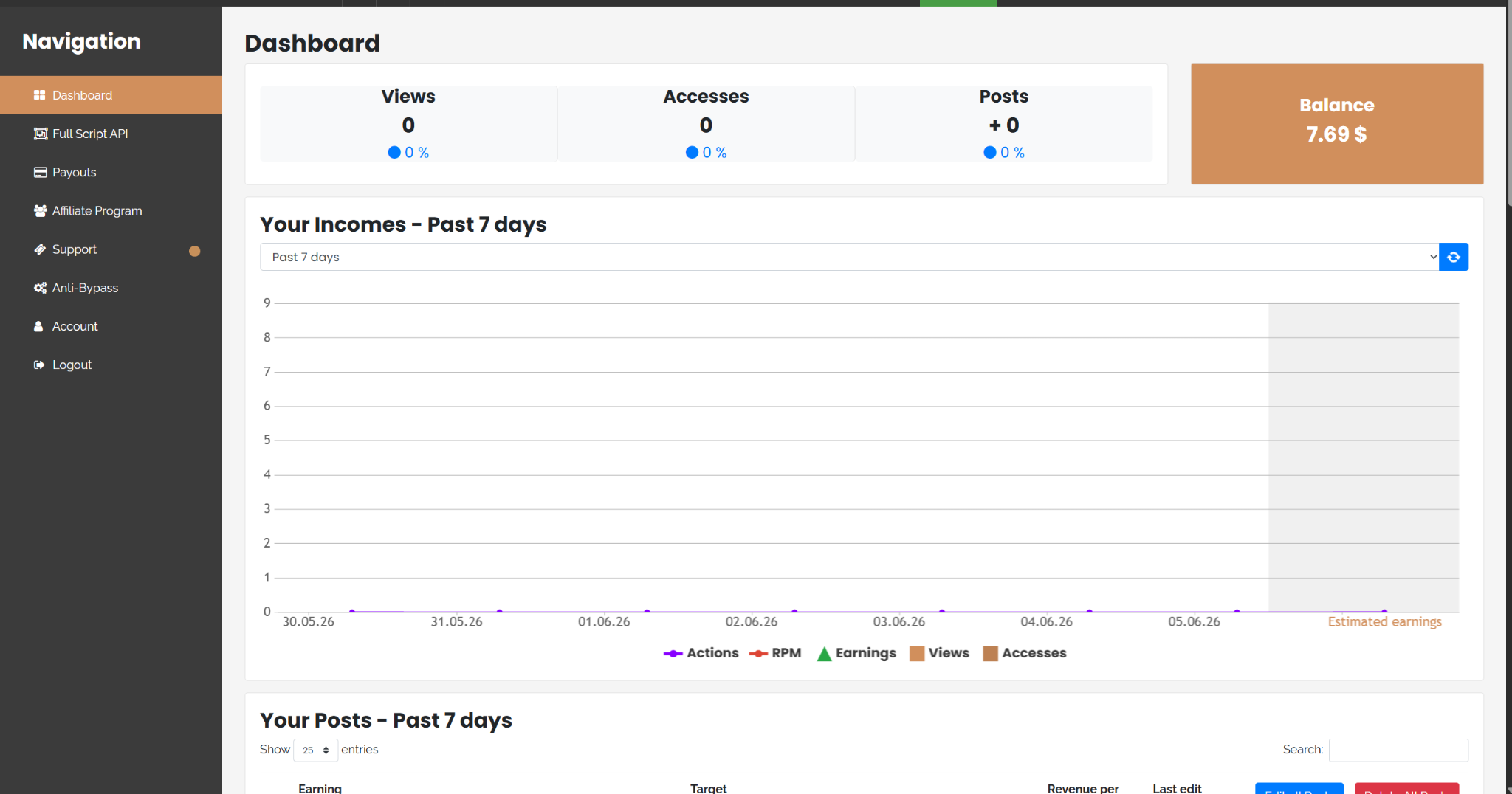
Go to publisher.linkvertise.com/dashboard and log into your account.
Step 2 — Open Full Script API and copy your Publisher ID
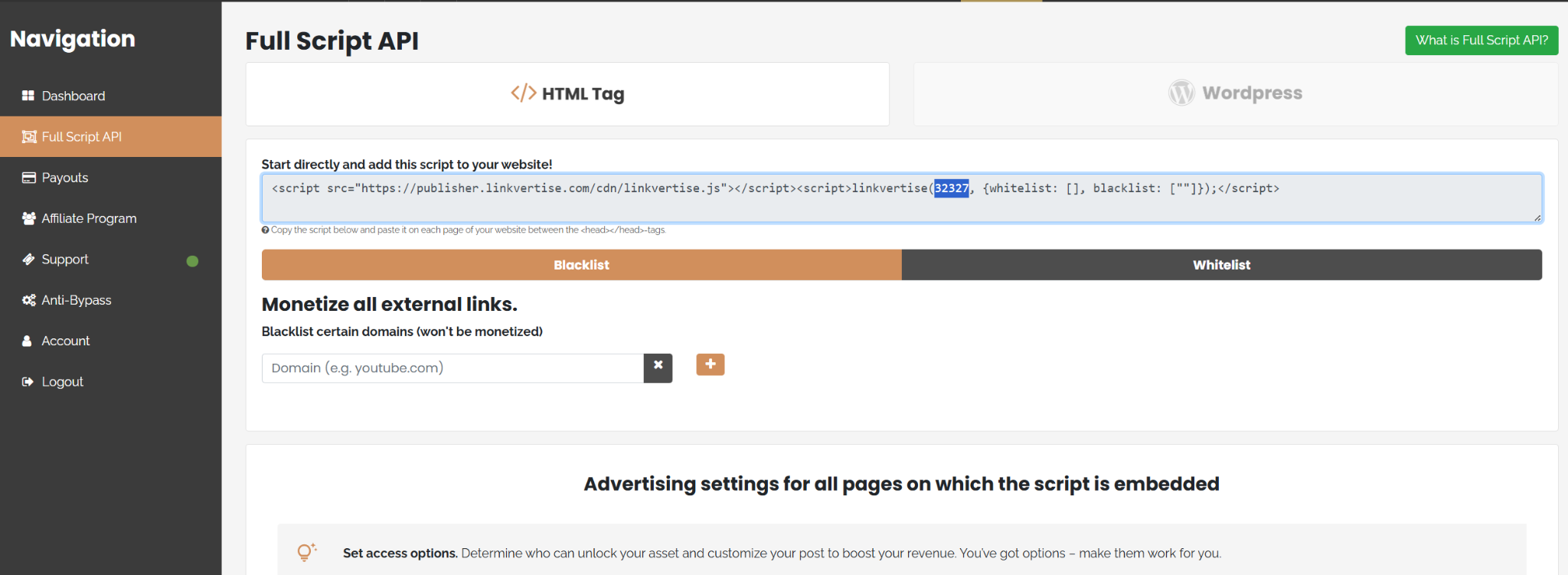
In the sidebar, navigate to Full Script API. The page will show a numeric Publisher ID — that is the value Panda Auth needs. Copy the highlighted number.
Step 3 — Paste it into Panda Auth
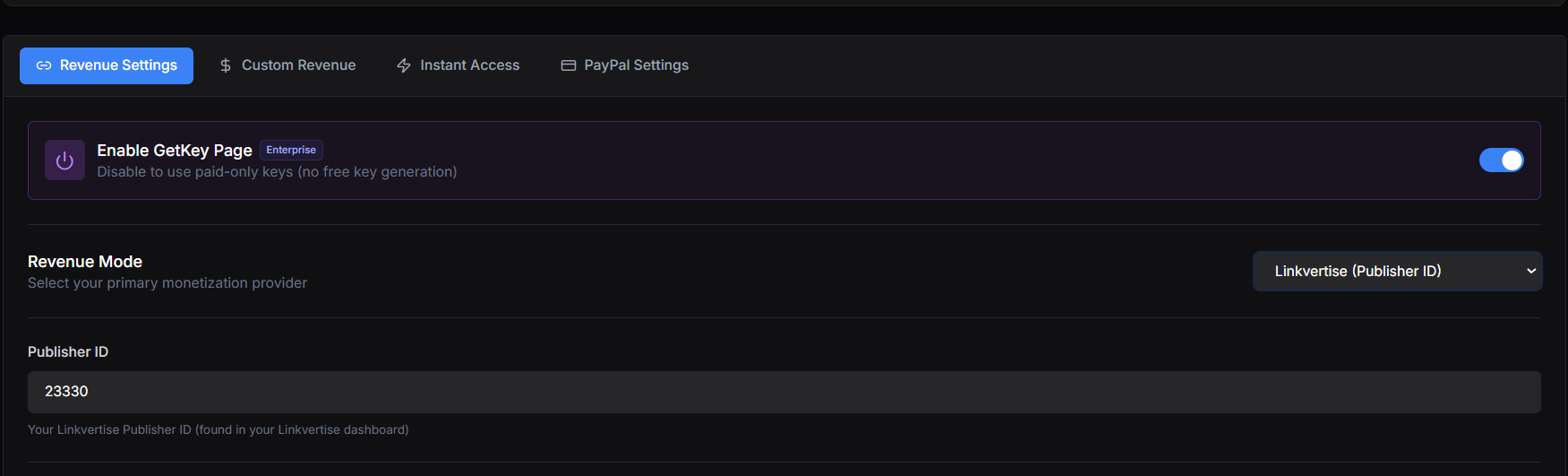
Back in your Panda Auth dashboard, go to Monetization Settings → Revenue Settings. Select Linkvertise (Publisher ID) from the Revenue Mode dropdown if it is not already, then paste your Publisher ID into the field labeled Publisher ID.
Step 4 — Save and test
Click Save Changes at the bottom right of the Revenue Settings tab. Then visit your own get-key page in a browser and walk through the checkpoint flow. Each ad-wall step should now route through Linkvertise.
Done
Want stronger anti-bypass?
Heads up